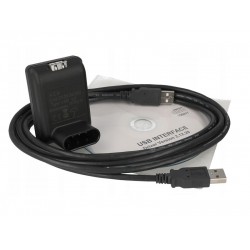


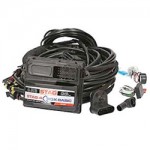

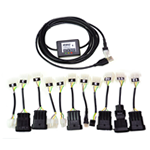

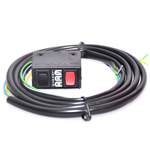
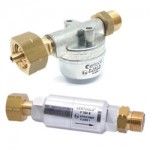
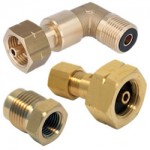
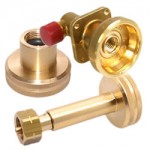


The Original LPG Diagnostic Interfaces category includes official (OEM) diagnostic and programming interfaces developed or approved by LPG system manufacturers. These are the recommended solution when you need 100% compatibility, full access to gas ECU functions and calibration/updates exactly as designed by the system brand.
An original LPG diagnostic interface connects your laptop directly to the LPG system control unit (gas ECU) and allows you to use the manufacturer’s official software for precise diagnostics and accurate adjustments.
Why choose an original LPG interface?
OEM LPG interfaces are primarily dedicated to workshops and certified installers who regularly work with a specific LPG brand and want to avoid compatibility issues or communication errors.
By using an original interface, you benefit from:
stable and reliable ECU communication without interruptions
full diagnostic and configuration functions (brand-specific)
correct ECU version and system parameter identification
access to advanced settings, fine calibration and real-time monitoring
a plug-and-play solution specifically designed for that LPG system
What can you do with an original LPG diagnostic interface?
Using an OEM LPG interface together with the manufacturer’s software, you can:
read and clear LPG system fault codes
monitor real-time parameters (pressure, temperature, voltage, injection timing)
perform auto-calibration and advanced calibration
adjust fuel maps and corrections based on engine characteristics and driving style
test solenoids, sensors and injectors (depending on system capabilities)
save and load configuration files (where supported by software)
Compatibility – Brand-Dedicated (and Sometimes ECU Generation-Specific)
Unlike universal/adapted interfaces, original LPG interfaces are typically dedicated to one brand (and sometimes specific ECU generations).
In this category you may find interfaces for well-known LPG brands such as:
BRC, Landi Renzo, Lovato, OMVL, Prins, AC STAG (Tomasetto), KME, LPG Tech, Romano, Milano (depending on availability and model).
Exact compatibility may depend on:
ECU series or generation
connector type
software version
activation or licensing requirements (where applicable)
Installation and Use
In most cases, setup is straightforward:
Install the required driver (sometimes automatic).
Install the manufacturer’s diagnostic software.
Connect the interface to your PC and the LPG ECU connector.
Launch the software and perform diagnostics or adjustments.
Difference Between Original, Professional and ECO LPG Interfaces
Original (OEM):
Official manufacturer interfaces, brand-dedicated, maximum compatibility with original software.
Professional (adapted):
Cover multiple brands via adapters, ideal for workshops working with various LPG systems.
ECO:
Budget-friendly option, usually without LED indicators or heavy-duty construction.
Bluetooth:
Wireless diagnostics, convenient but dependent on connection stability and environment.
Who is this category for?
LPG-specialized auto workshops
Certified LPG installers working with specific brands
Workshops requiring full diagnostics according to manufacturer standards
Technicians who prefer OEM solutions for maximum compatibility and predictability
If you want a no-compromise solution with full access to LPG system functions and direct integration with the manufacturer’s software, Original (OEM) LPG diagnostic interfaces are the right choice.